
The #1 Tool for Teachers
A classroom timer your whole class can read
Put a large countdown timer on your classroom screen so students always know how much time is left. Add a clock and a traffic light to show when it's quiet time and when it's time to talk.
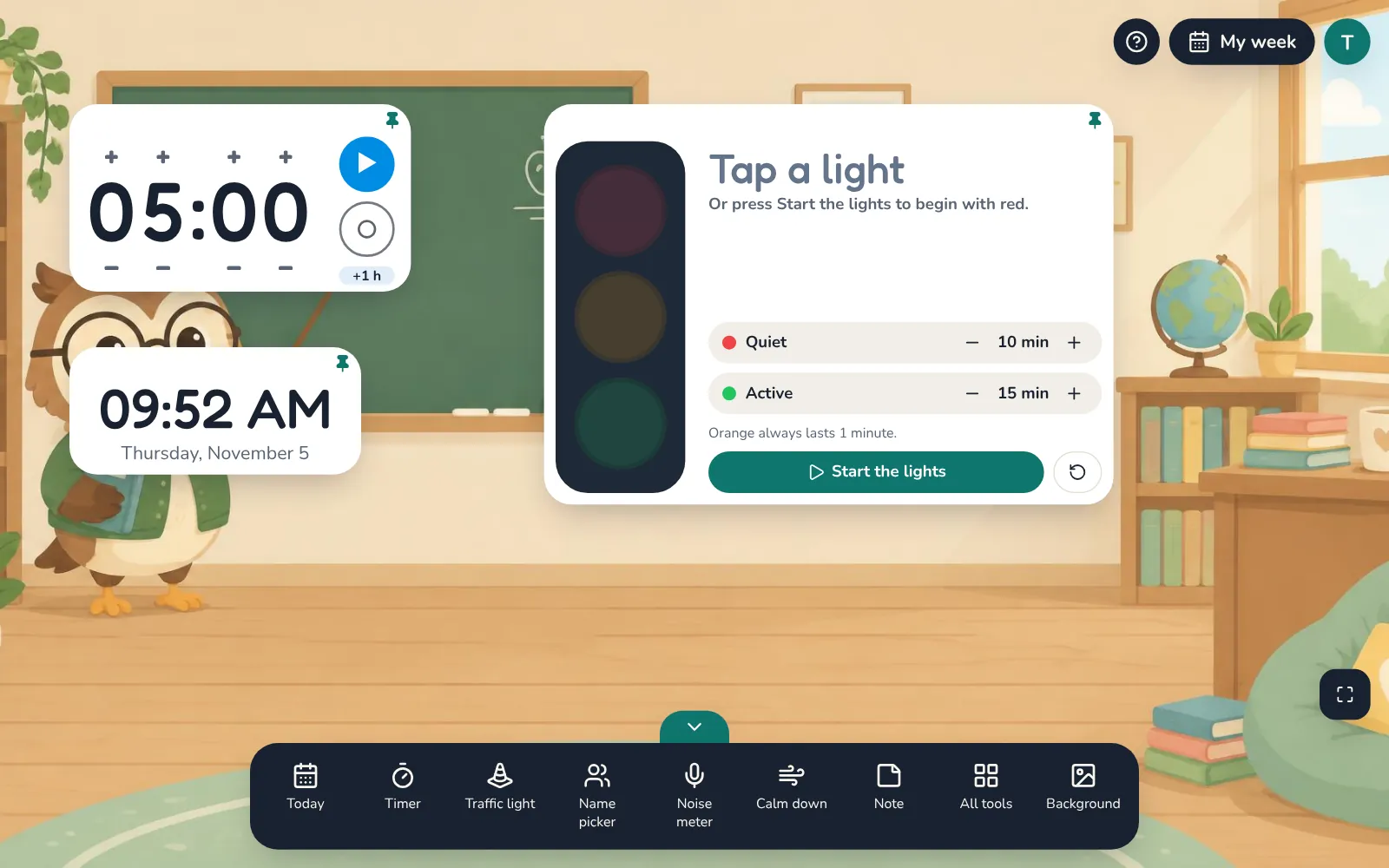
What the timer tools do
- Countdown timer with large digits and + and − buttons for hours, minutes and seconds, plus a quick +1 hour button
- A soft bell rings when time is up, so you don't have to watch the screen
- Clock with the time and today's date, in 12-hour English or 24-hour French format
- Traffic light: red for quiet work, green for active work, and one minute of orange to get ready in between, with your own minutes for red and green
- Resize any tool window and everything in it grows, so students at the back can read it
Why teachers use it
Smoother transitions
Students see how long they have left, so cleanup and centre rotations start on time without reminders.
Less talking over the class
The traffic light shows the expected noise level, so you can point to it instead of raising your voice.
Made for the big screen
Works in any browser on a smartboard, projector, laptop or tablet. Nothing to install.
Which plan includes it
The timer and clock are included in the free plan. The traffic light is part of Pro and of the 14-day free trial.
Try it with your class
Every tool free for 14 days. No card needed.